Comment-controlled battles
Viewers type their team's command to join and push. No gift is ever needed to play.
 Best sounds in life are free
LIVEFree Windows game for TikTok LIVE
Your viewers pick a side in the comments and push a giant ball across the arena in a live, animated tug-of-war. Likes and gifts can add optional boosts, but comments are all anyone needs to play.

Quick answer
RIVALS LIVE: Team Battle Arena is a free interactive battle game for TikTok LIVE, made by Matterlane Studio for Windows PCs. Two teams face off on screen. Viewers join a side by commenting, and every valid comment pushes the giant ball toward the other team. A knockout or the final whistle decides the round, and the next match starts automatically.
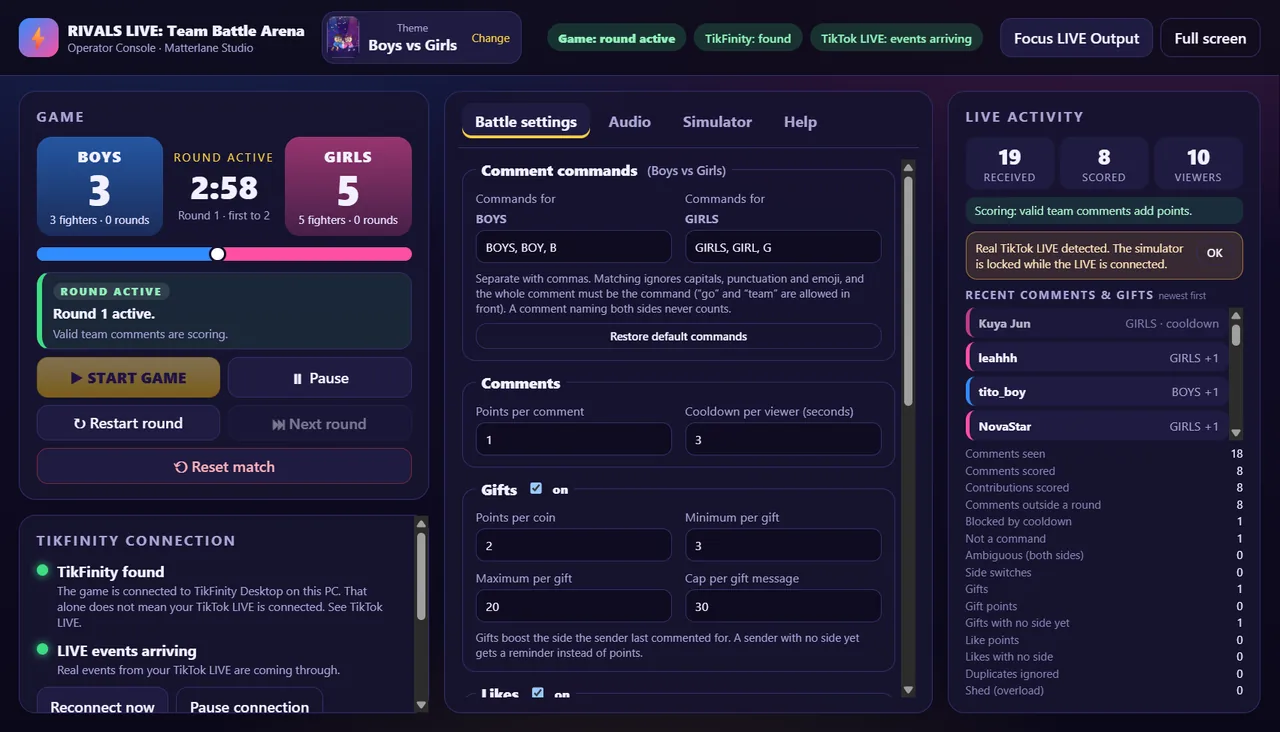
The game receives your LIVE's comments, likes and gifts through TikFinity Desktop on the same PC and draws the battle in a portrait LIVE Output window that you add to TikTok LIVE Studio.
Pick your rivalry
Each theme has its own animated characters, stage, music and team commands.
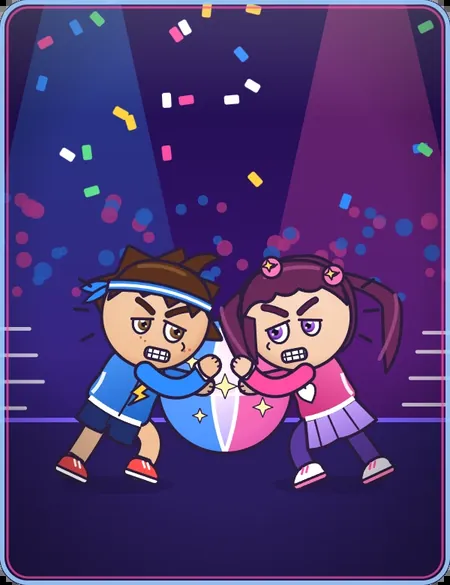
Blaze and Rosie in the Neon Arena. Comment BOYS or GIRLS.
Playable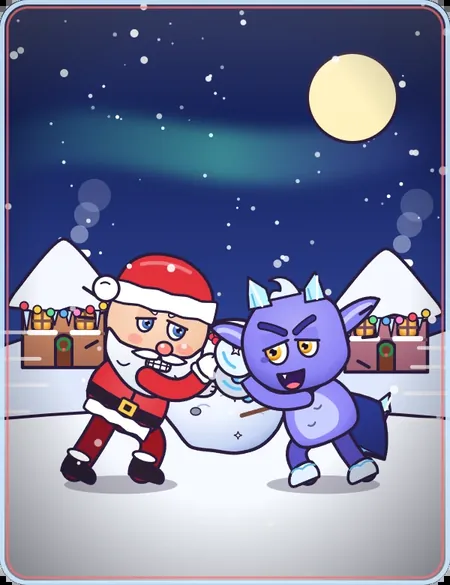
Santa and Flurry in Twinkle Hollow. Comment SANTA or FROST.
Playable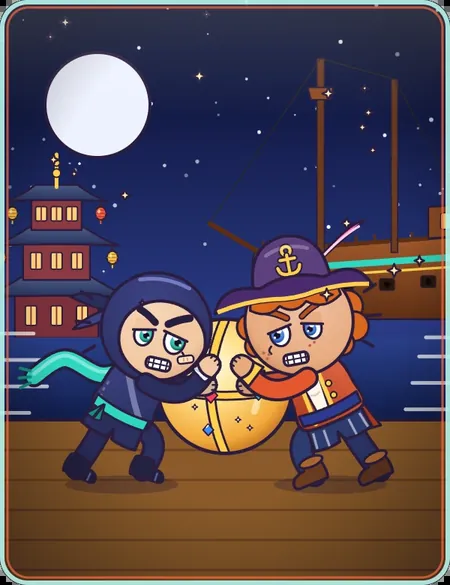
Kibo and Captain Marlo at Moonlit Harbor. Comment NINJA or PIRATE.
Playable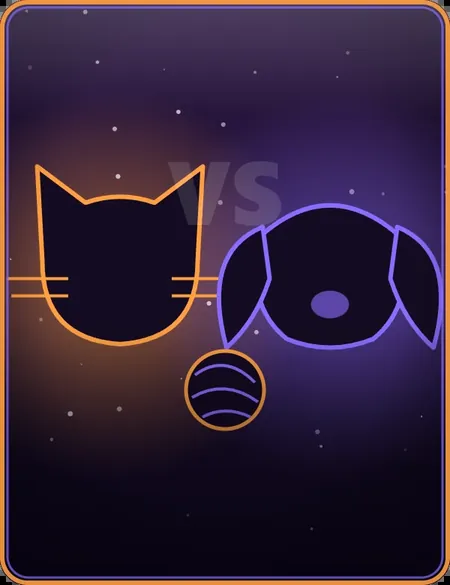
A fourth rivalry is on the way.
Coming soonFeatures
Viewers type their team's command to join and push. No gift is ever needed to play.
Likes help and gifts boost the side a viewer picked, with caps so one big gift cannot end a round on its own.
Characters strain, celebrate and react as their side wins or falls behind, with a crowd that cheers along.
The clock waits for the first team comment, and freezes on Round On Hold when the comments go quiet.
The victory screen names the winning team's MVP, then the next match starts by itself.
Set the on-screen title and round length, and enjoy built-in music and sound effects with their own volume controls.
See every comment and gift as it arrives, and whether it scored, in the Operator Console.
Rehearse offline with simulated viewers, then connect TikFinity Desktop for real LIVE events.
Quick setup
Do this on the Windows PC you stream from, and test it before you go LIVE.
Use the free Windows download on this page (Setup, version 0.3.0).
If Windows says "Windows protected your PC", choose More info, then Run anyway. The installer is not code-signed yet.
Open the official invite and join the server.
#activation-codeThis is the channel where the activation bot answers.
/activate and choose RIVALS LIVE: Team Battle ArenaThe command is /activate, not /activation. Your code arrives in a private reply only you can see.
Paste the code on the Activate this PC screen and click Activate. This one step needs the internet.
Run TikFinity Desktop on the same PC. In TikTok LIVE Studio, add a Window Capture of the RIVALS LIVE LIVE Output window.
Connecting TikFinity does not start the game. Click START GAME in the Operator Console. The round timer starts with the first valid team comment.
Rehearsing? The built-in simulator plays offline viewer activity for testing and demos. It switches off automatically when real TikTok LIVE activity is connected, so use real viewers during a real LIVE.
Good to know
/activate in #activation-code.FAQ
Yes. It is free to download and free to use, and the activation code is free from the Matterlane Studio Discord. There is nothing to buy.
Viewers type their team's command in the TikTok LIVE comments, for example BOYS or GIRLS in Boys vs Girls. Valid comments push the giant ball toward the other side. Likes and gifts can add optional boosts for the side a viewer picked, but comments are the free, main way to play.
No. RIVALS LIVE: Team Battle Arena runs on Windows 10 or 11 (64-bit) PCs only. You can read this page on your phone, but install the game on the Windows PC you stream from.
Join the Matterlane Studio Discord, open the #activation-code channel, type /activate and choose RIVALS LIVE: Team Battle Arena. Your code arrives in a private reply that only you can see.
Each code activates one PC, and each Discord member can get up to 3 RIVALS LIVE codes. Codes do not expire. Noypi Korner and Jarvis Desktop codes do not activate RIVALS LIVE.
Only once, when you click Activate. After that the game starts offline. TikFinity Desktop and your TikTok LIVE still use your normal internet connection.
On the same PC, the same code works again and does not use up another code. If you use version 0.2.x, install 0.3.0 over it: your settings are kept and you activate once.
Connecting TikFinity does not start a match. Click START GAME in the Operator Console. The round timer then starts with the first valid team comment.
RIVALS LIVE gives viewers a fun reason to comment and take part, which can make a LIVE more engaging. It does not guarantee income and does not make an account eligible for TikTok LIVE gifts or monetization. Any earnings depend on TikTok's own eligibility rules, programs and policies, and on what your viewers choose to do. Viewers never need to send gifts to play.
The installer is not code-signed, so Windows cannot show a verified publisher and SmartScreen may say "Windows protected your PC". Choose More info, then Run anyway. Download only from this official page.
No. RIVALS LIVE: Team Battle Arena is made by Matterlane Studio and is not affiliated with or endorsed by TikTok, ByteDance or TikFinity. It works alongside TikFinity Desktop and TikTok LIVE Studio, which are separate products.
Get your free activation code in #activation-code with /activate, ask setup questions and meet other creators.
Get the installer, then grab your free activation code in the Matterlane Studio Discord.
SHA-256 checksum
eb7be87343c850859fbf3475b29d82d04007ee7f710641716a9bb3e3a7bc3c5f
Optional. In Windows PowerShell, run Get-FileHash "RIVALS LIVE Team Battle Arena Setup 0.3.0.exe" in the folder where you saved the file. The result should match the checksum above.
RIVALS LIVE: Team Battle Arena is free to use, including during TikTok LIVE broadcasts where you receive gifts or rewards. Please share this official download page rather than re-uploading, repackaging, reselling or redistributing the installer.
RIVALS LIVE: Team Battle Arena and Matterlane Studio are not affiliated with, endorsed by or sponsored by TikTok, ByteDance or TikFinity. TikTok and TikTok LIVE are trademarks of their respective owners. TikFinity Desktop is a separate third-party product.